Skip to content
PROWERB
Services
Industries
Cases
Software & Lab
Company
DENeeds Check →
Services
Industries
Cases
Software & Lab
Company
LanguageDEEN
Start Needs Check →
PROWERB — Elevating Brands

Marketing Operations Backbone since 1979. Promotional products, logistics, kitting and digital commerce. One partner with its own operations in Kleve.

Elevating Brands — since 1979.Kleve · Düsseldorf · Dortmund · Lüdinghausen
Services
Logistics & fulfillmentPromotional products & merchandiseDigital commerce & marketplaceEvents & campaignsKitting, textile & ESGTech & AI
Company
About usLocationsHow we workSustainabilityCareersContactInternationalPress & news
Resources
GuidesInsights archiveGlossaryDownloadsTools & calculatorsCosts & calculationCompare operating models
Contact
PROWERB, Huissener Str. 7–947533 Kleve+49 (0)2821 7218-0info@prowerb.de
© 1979–2026 Prowerb GmbHLegal notice (German)Privacy policy (German)Terms (German)BrandDEEN

All rights reserved. Subject to change. Text and images on this website have in part been created or edited using artificial intelligence.

  1. PROWERB
  2. Services
  3. Digital Signage

Digital signage

Digital signage for your locations

Displays, kiosks and content that work together. PROWERB combines hardware, software and creative production with delivery, installation and ongoing operation. Manage communication centrally while giving each location room for its own offers.

Discuss your digital signage projectExplore the devices
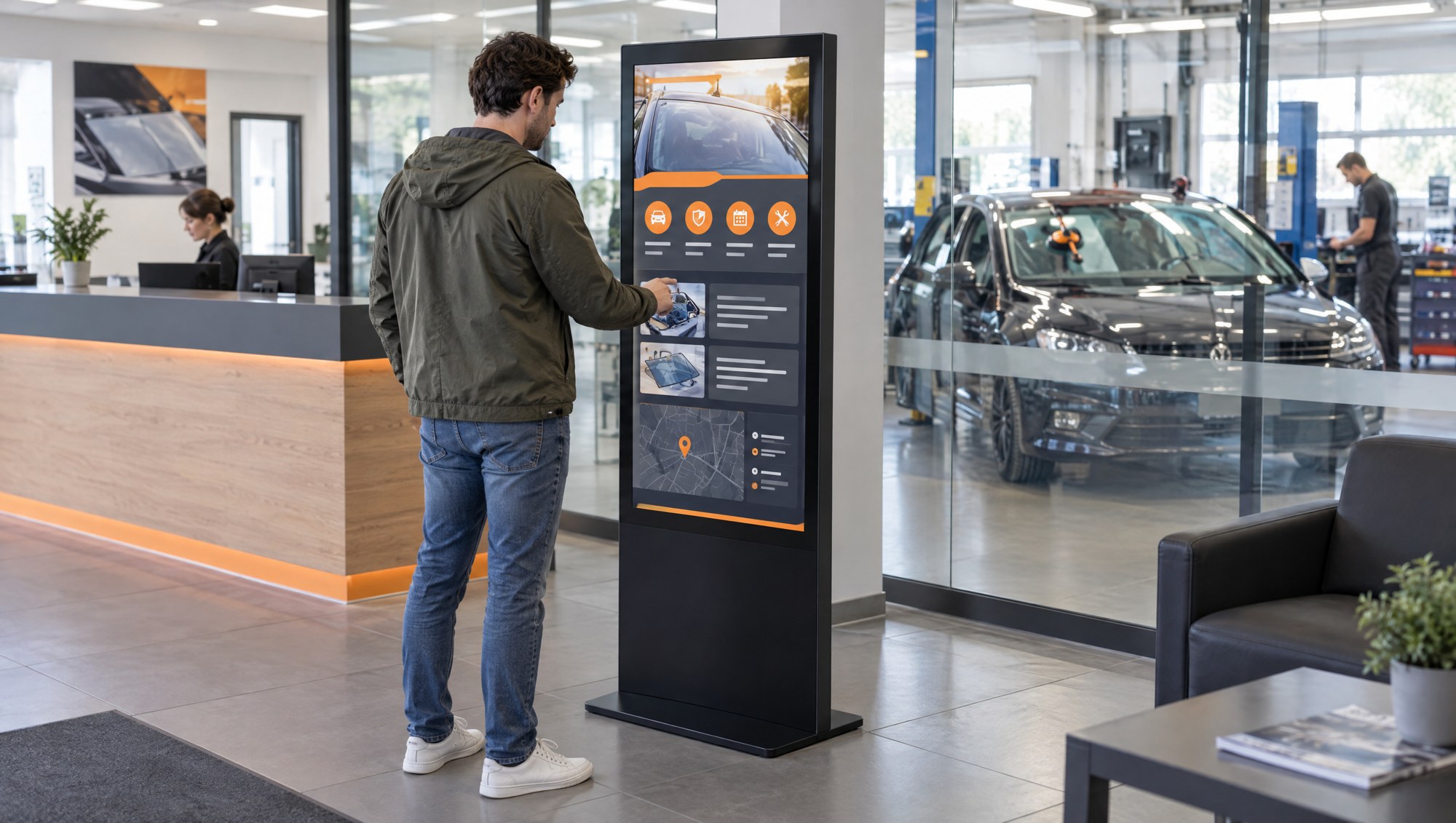
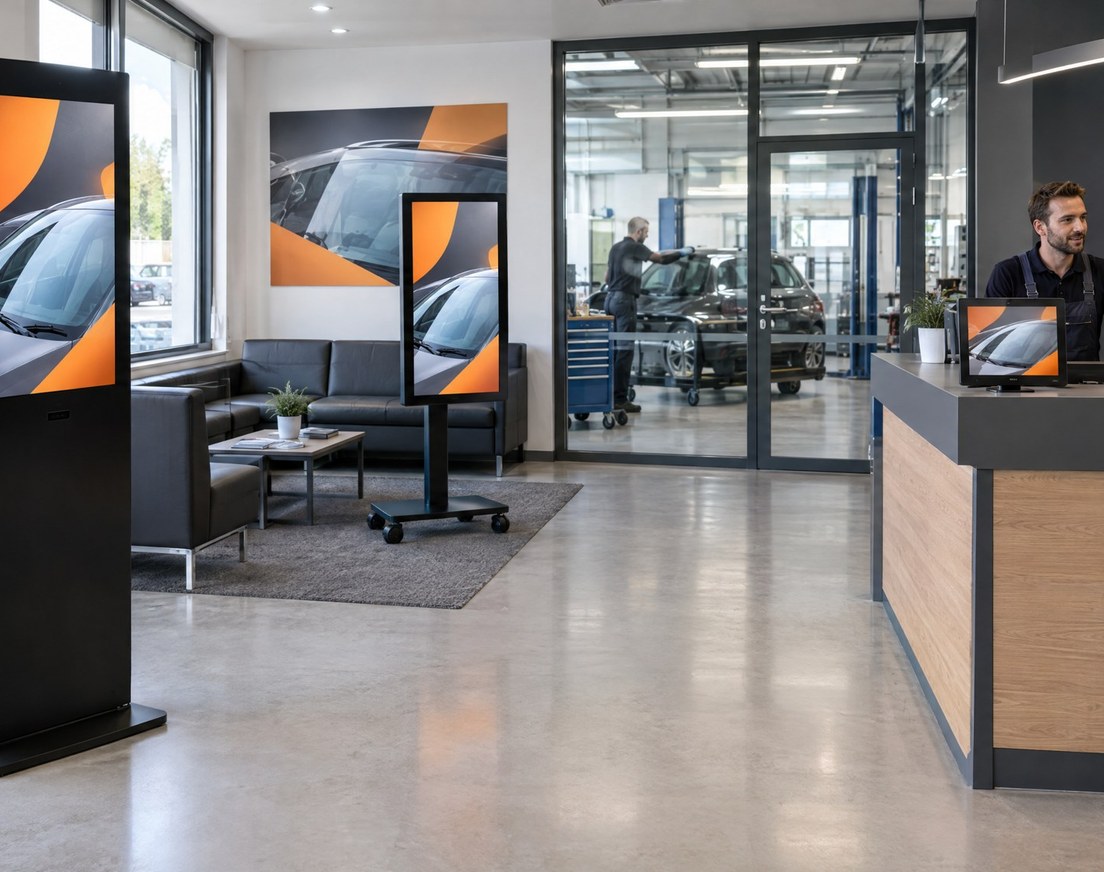
Touch kiosk, mobile display and counter display in a reception and waiting area.Enlarge image ↗
Touch kiosk, mobile display and counter display in a reception and waiting area.
Applications↓Displays and kiosks↓Central management↓Content↓Rollout and operation↓

Information where your customers are

An offer in the window, directions at reception or advice on a touchscreen: the location determines the device, content and interaction.

Reception and waiting areas

Explain services, show offers, display queue numbers and offer appointment booking. A kiosk provides guidance; a counter display supports the conversation.

Retail and shop windows

Show seasonal campaigns, new products and offers in-store and behind glass. Mobile displays move between promotional areas.

Trade shows and events

Guide visitors through catalogues, configure products and engage them with games or prize draws. Capture enquiries on the device or on a smartphone.

Forecourts and outdoor spaces

Draw attention to offers before visitors enter. Weather-resistant, battery-powered signs suit positions without a power socket.

The right display for the location

From a compact consultation display to a freestanding kiosk. We match size, brightness, interaction and configuration to your space.

Where will you use your displays?

Reception and consultation
  • 55-inch touch kiosk↓
  • 55-inch information kiosk↓
  • 24-inch counter display↓
  • 21.5-inch desktop display↓
Shop windows and large spaces
  • 43-inch window display↓
  • Kiosks from 49 to 86 inches↓
Events and mobile campaigns
  • 43-inch mobile display↓
  • 55-inch touch kiosk↓
  • 55-inch information kiosk↓
Outdoor spaces
  • 43-inch outdoor pavement sign↓
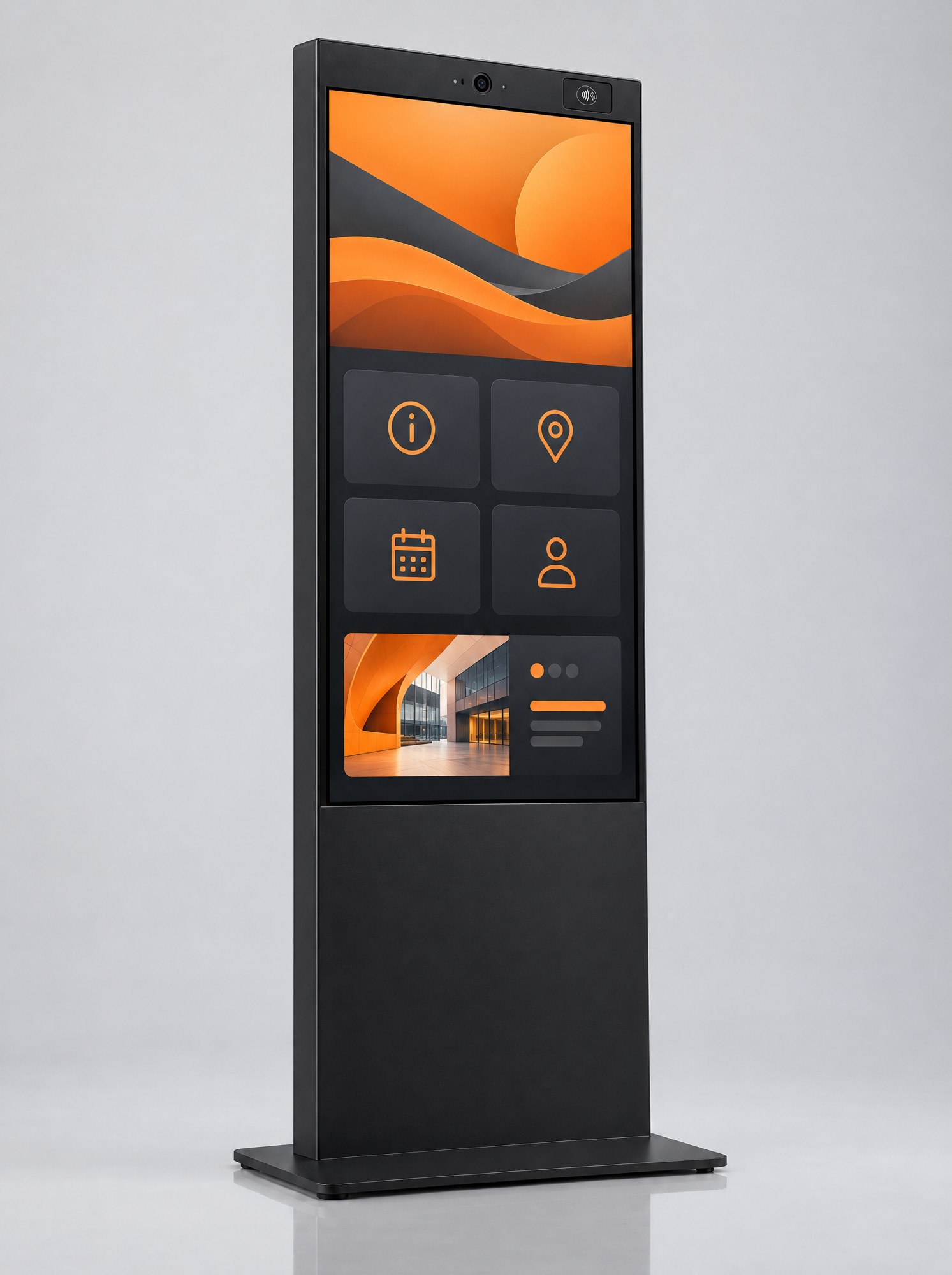
  • Freestanding black 55-inch touch kiosk with an interactive interface.Enlarge image ↗

    Reception and interaction

    55-inch touch kiosk

    For reception, showrooms and waiting areas: book appointments, explore services, select products or take part in campaigns.

    Specifications and options
    Display
    55-inch 4K display, IR touch, 350 cd/m². For indoor use.
    Configuration
    Windows 11 Pro with Intel i5, 16 GB RAM and 512 GB SSD; alternatively Android with 8 GB RAM and 128 GB storage.
    Interaction
    Camera, microphone, NFC reader and QR scanner. Wi-Fi and LAN; optional mobile connectivity.
    Enquire about this device→
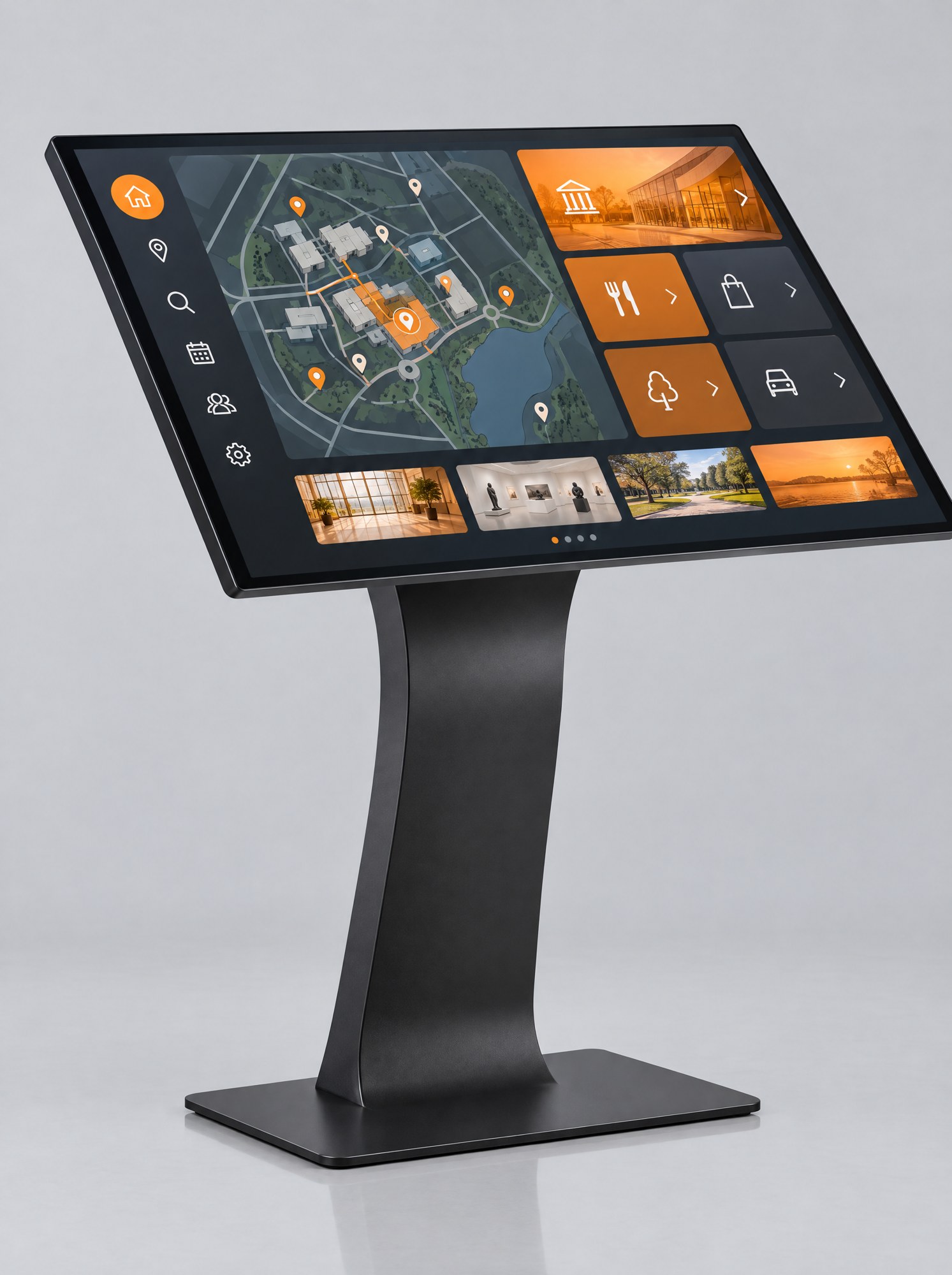
  • Information kiosk with a large angled touchscreen on a pedestal.Enlarge image ↗

    Advice and navigation

    55-inch information kiosk

    An angled touchscreen for advice, navigation, interactive catalogues and forms in foyers or at exhibition stands.

    Specifications and options
    Display
    55-inch 4K display, IR touch, landscape orientation, 350 cd/m².
    Configuration
    Windows 11 Pro, Intel i5, 16 GB RAM, 256 GB SSD. Black or silver housing.
    Options
    Wi-Fi and LAN; mobile connectivity, camera, NFC and QR scanner depending on configuration.
    Enquire about this device→
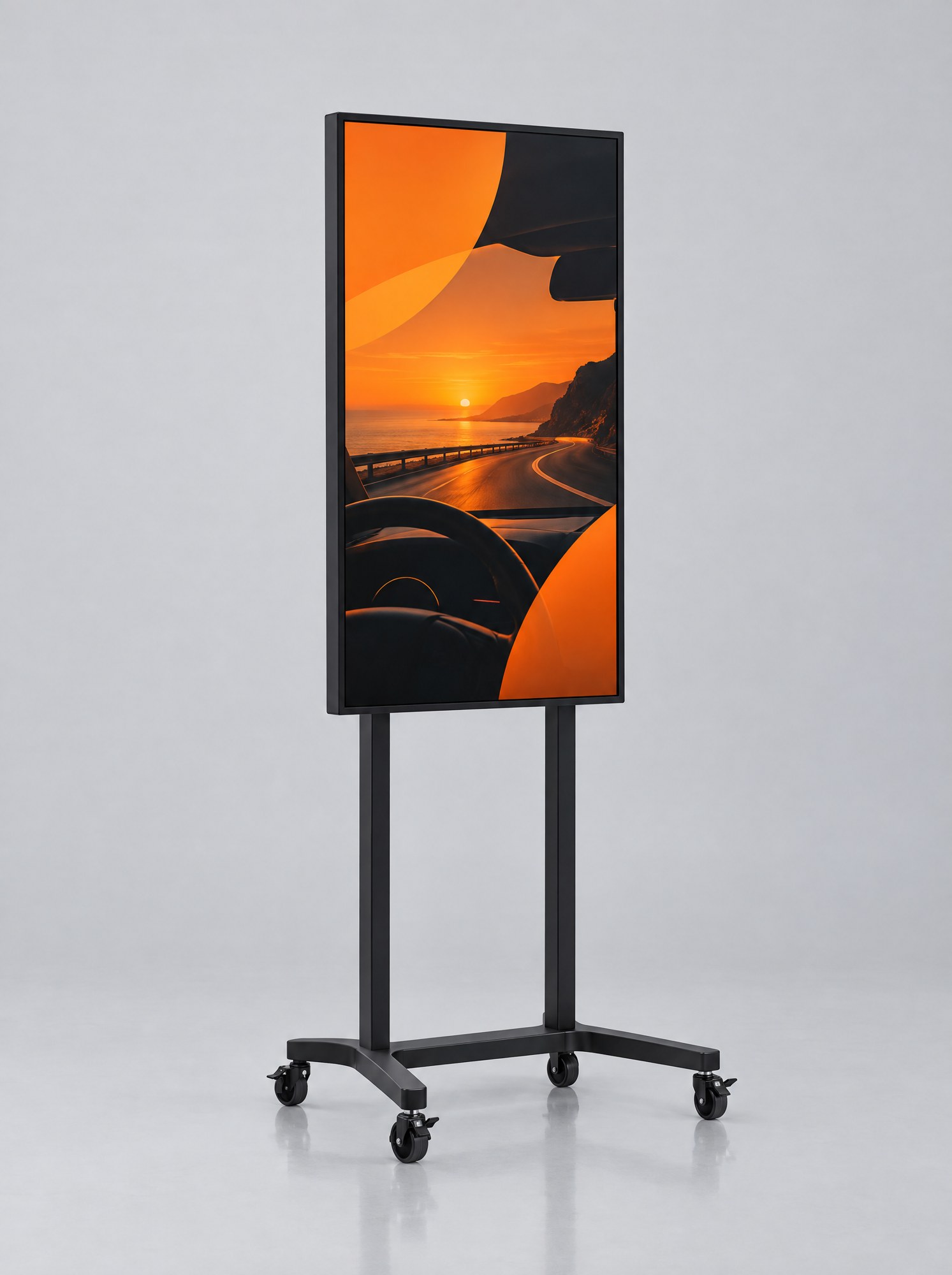
  • Slim portrait digital display on a wheeled base.Enlarge image ↗

    Flexible promotional space

    43-inch mobile display

    A digital poster for entrances, retail floors and events. Move it on wheels to wherever the current campaign takes place.

    Specifications and options
    Display
    43-inch 4K display, portrait orientation, 350 cd/m². For indoor use.
    Configuration
    Android 11, 2 GB RAM and 32 GB storage. Lockable castors; mains power required at the location.
    Options
    Wi-Fi and LAN, optional mobile connectivity and IR touch. Base and rear can carry your branding.
    Enquire about this device→
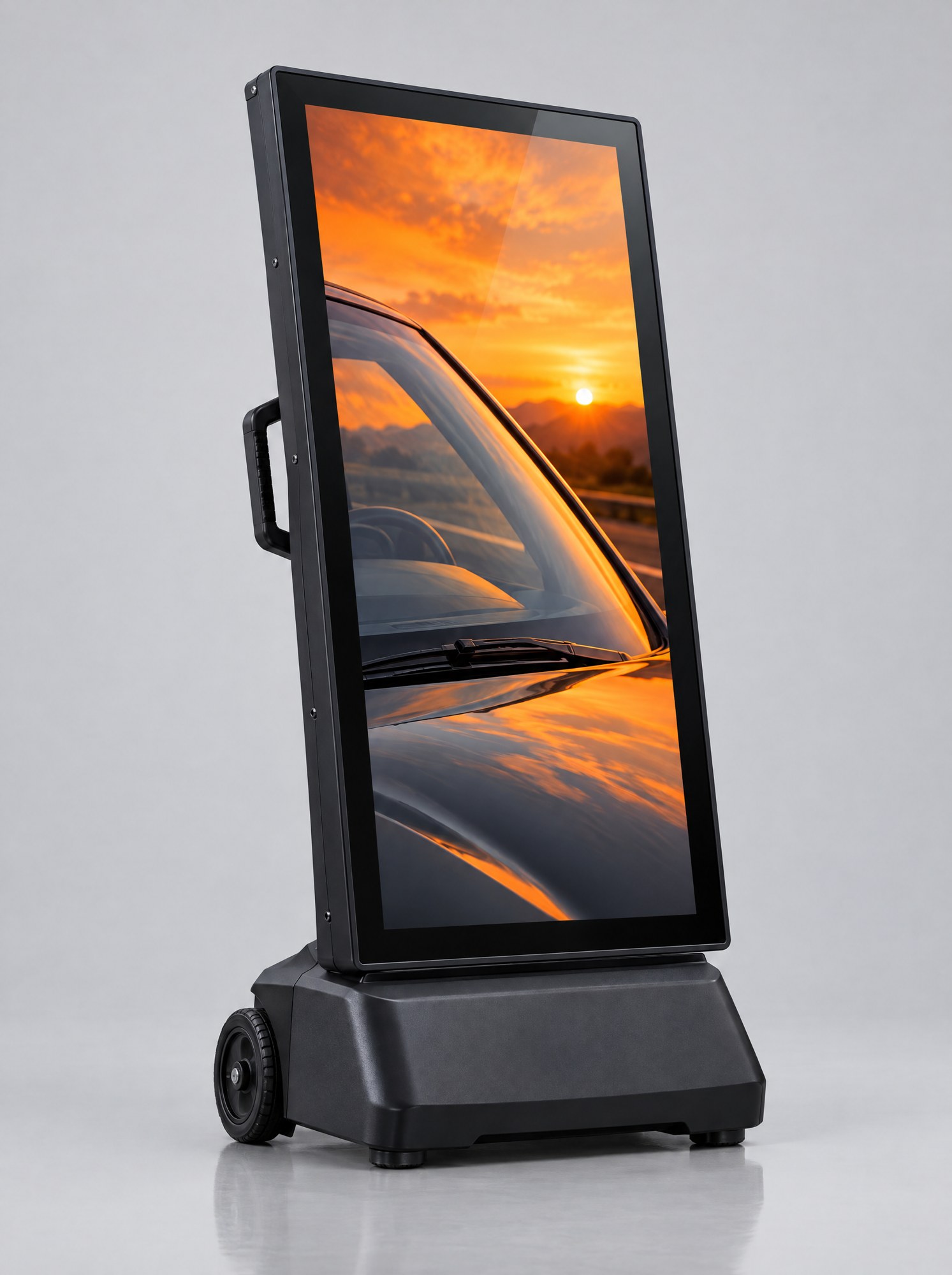
  • Battery-powered digital pavement sign with wheels and a stable base.Enlarge image ↗

    Forecourts and outdoor use

    43-inch outdoor pavement sign

    Battery-powered advertising for forecourts and events. Roll it out for the day and recharge after use.

    Specifications and options
    Display
    43-inch Full HD display, 1,800 cd/m², IP65 rating. For outdoor use.
    Configuration
    Android 14, 8 GB RAM, 128 GB storage. Up to 14 hours of battery life, depending on use.
    Planning
    Wheels and handle, approximately 38 kg. Agree brightness, positioning, charging and security at the location.
    Enquire about this device→
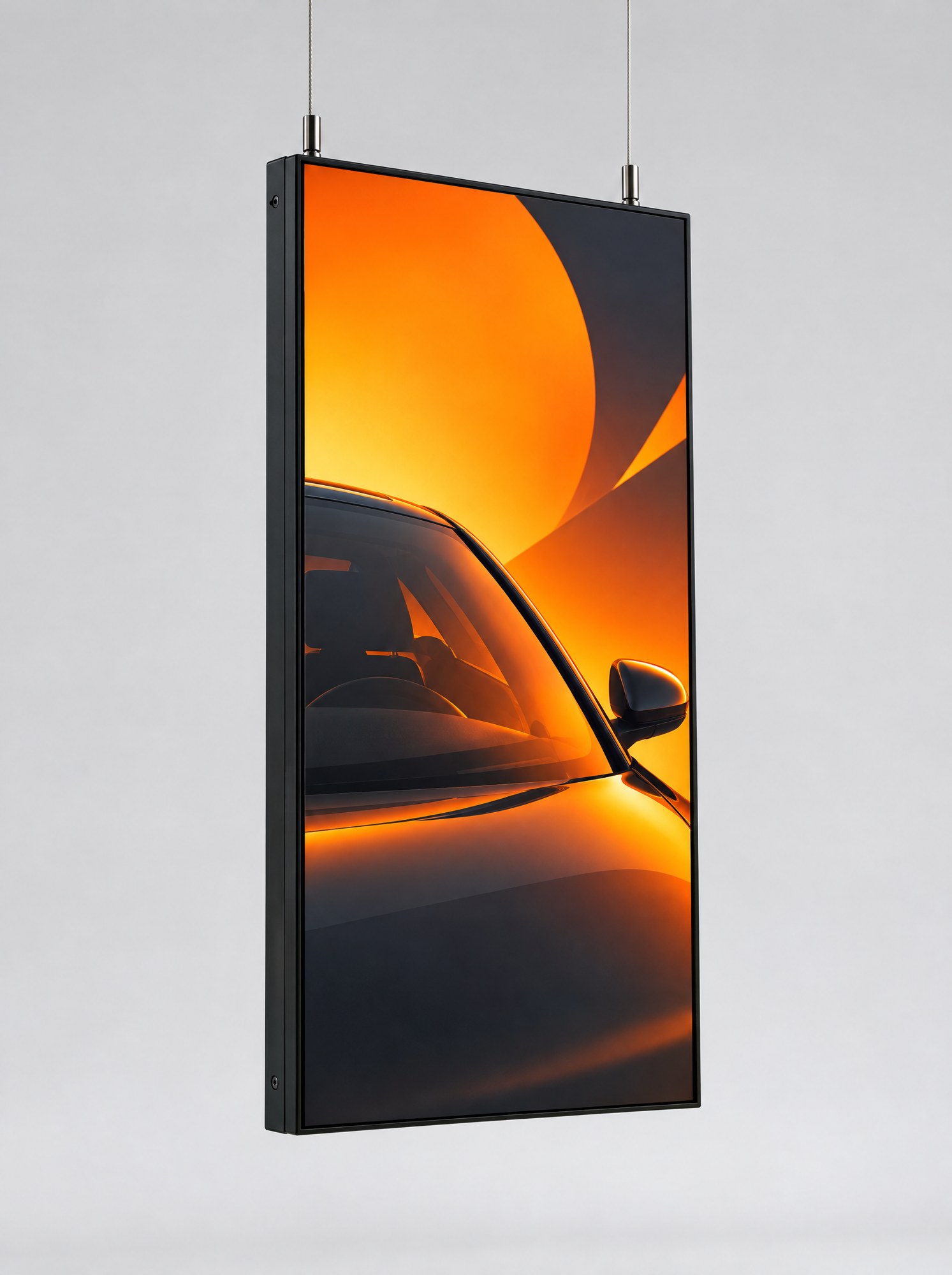
  • Slim portrait display suspended from two steel cables for a shop window.Enlarge image ↗

    Visibility behind glass

    43-inch window display

    Show offers behind glass. The bright panel is designed for shop windows and can be suspended or mounted on a stand.

    Specifications and options
    Display
    43-inch Full HD display, 3,000 cd/m² with ambient-light brightness control.
    Configuration
    Android 14, 8 GB RAM and 128 GB storage. Wi-Fi, optional mobile connectivity.
    Installation
    Ceiling suspension or stand. Installation accounts for distance from the glass and ventilation.
    Enquire about this device→
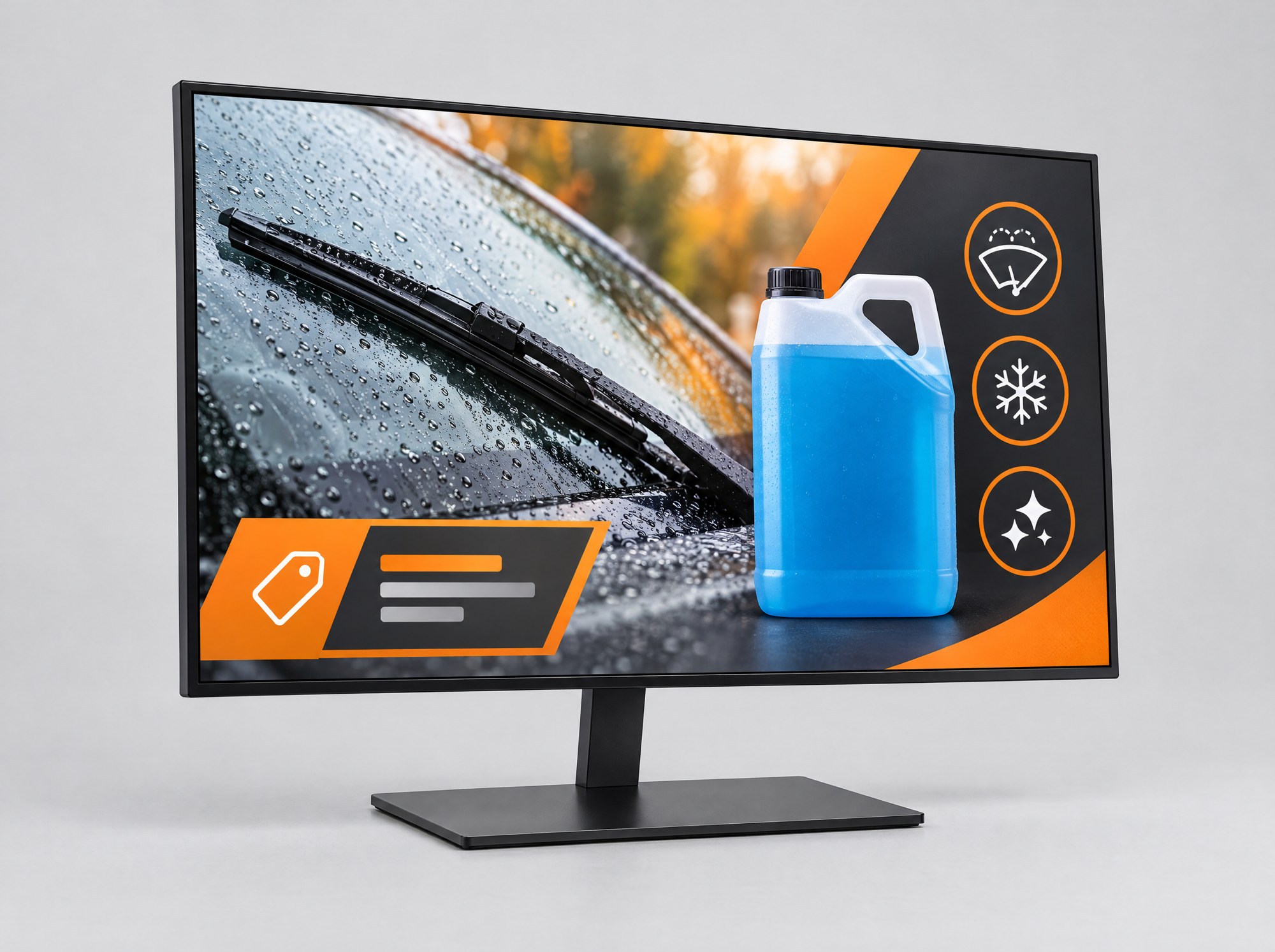
  • Compact landscape counter display showing a product campaign.Enlarge image ↗

    Counters and service desks

    24-inch counter display

    Show additional products, services and offers during a customer conversation. A suitable integration can add queue numbers or service status.

    Specifications and options
    Display
    23.8-inch Full HD display, 1920 × 1080 pixels, landscape orientation, 250 cd/m².
    Configuration
    Android 11, 2 GB RAM, 32 GB storage. Desktop stand and glass front.
    Options
    Wi-Fi and LAN; optional mobile connectivity and touch. Touch enables forms, feedback and signatures.
    Enquire about this device→
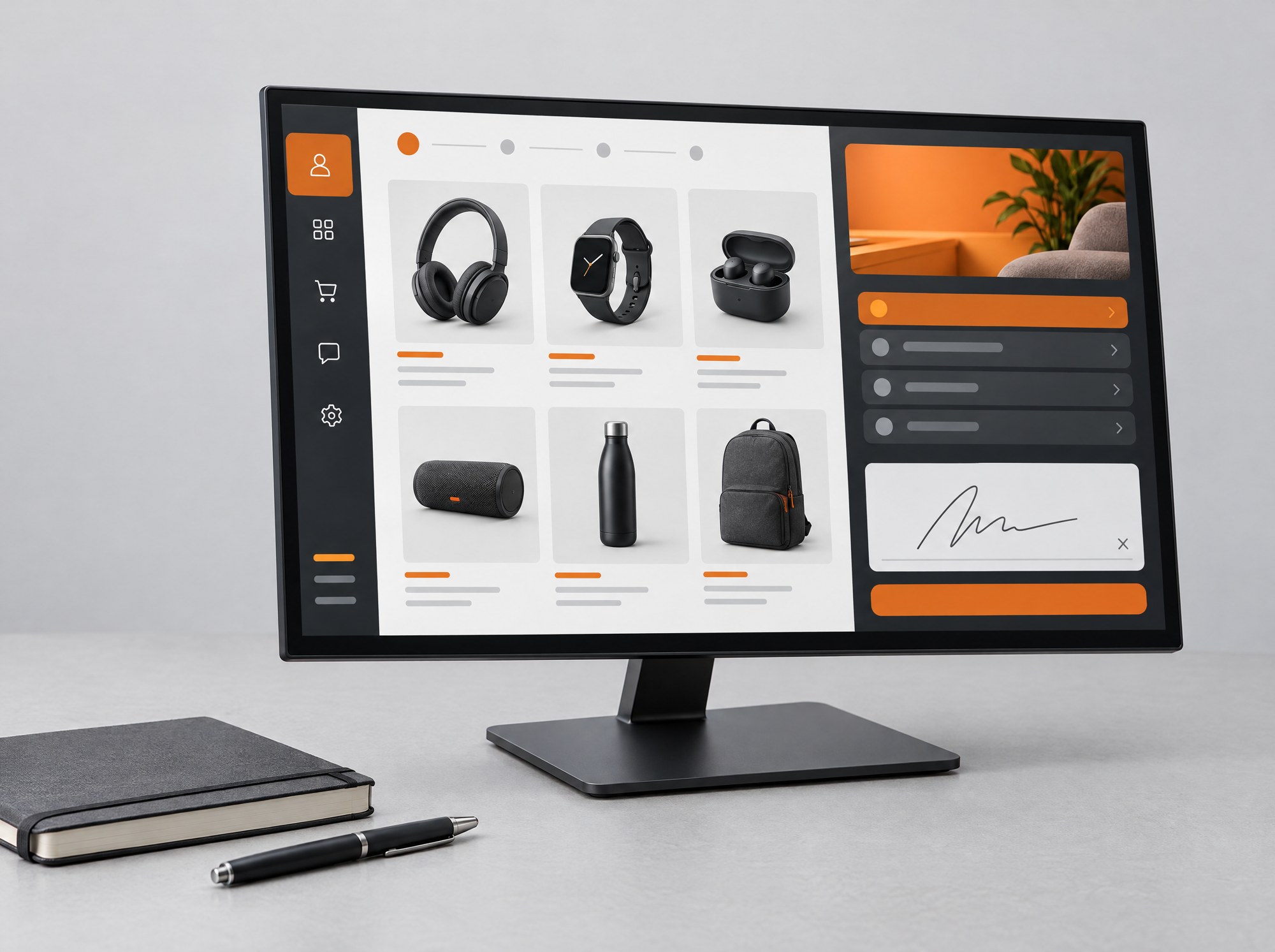
  • Desktop display showing a product catalogue on a consultation desk.Enlarge image ↗

    Consultation at a desk

    21.5-inch desktop display

    A compact touch option for consultation tables, reception desks and offices. For product advice, forms and customer communication.

    Specifications and options
    Use
    Close-range interaction at a table or service desk.
    Configuration
    Android or Windows; specifications and connections selected for the application.
    Planning
    Agree touch interaction, required applications and existing system connections.
    Enquire about this device→
  • Large digital kiosk in the entrance area of a showroom.Enlarge image ↗

    Foyers and larger spaces

    Kiosks from 49 to 86 inches

    For larger foyers, exhibition areas and longer viewing distances. Size and configuration follow your space and the intended content.

    Specifications and options
    Sizes
    Further kiosks in 49, 65, 75 and 86 inches, depending on configuration.
    Selection
    Choose screen size, brightness, touch and operating system for the intended use.
    Implementation
    Plan branding, positioning, transport and installation together.
    Enquire about this device→

Plan centrally. Adapt locally.

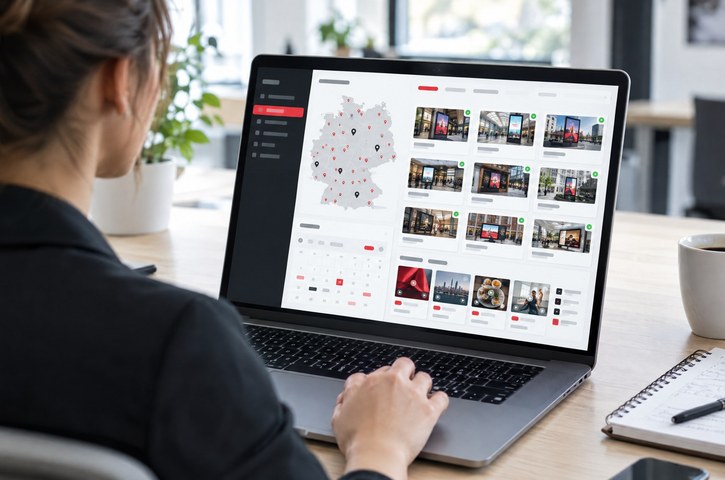
Head office sets campaigns, schedules and templates. Locations add offers, opening hours or notices in approved areas. The brand remains consistent while local communication stays relevant.

Laptop view for centrally managing locations, devices and campaigns.Enlarge image ↗
Laptop view for centrally managing locations, devices and campaigns.
Campaigns and schedules

Manage playlists by time of day, weekday and campaign period. Distribute content to all devices, individual locations or device groups.

Templates and approvals

Set logos and layouts, then open selected text and image areas for local editing. Configure head-office, regional and local roles to suit your workflow.

Devices and playback

Keep track of device status and playback. Monitoring, remote maintenance, alerts and reporting are configured for your operation.

Integrations

Connect appointment booking, your shop, CRM or inventory system. Agree data sources, access rights and update frequency for each application.

What your screens show

PROWERB creates content in your brand design, from a seasonal campaign image to an interactive application. Portrait, landscape and user interaction are developed together.

Information and advertising

Product videos, slideshows, price lists, menu boards and seasonal offers. Screen zones combine a main campaign with supporting information.

Live data and service

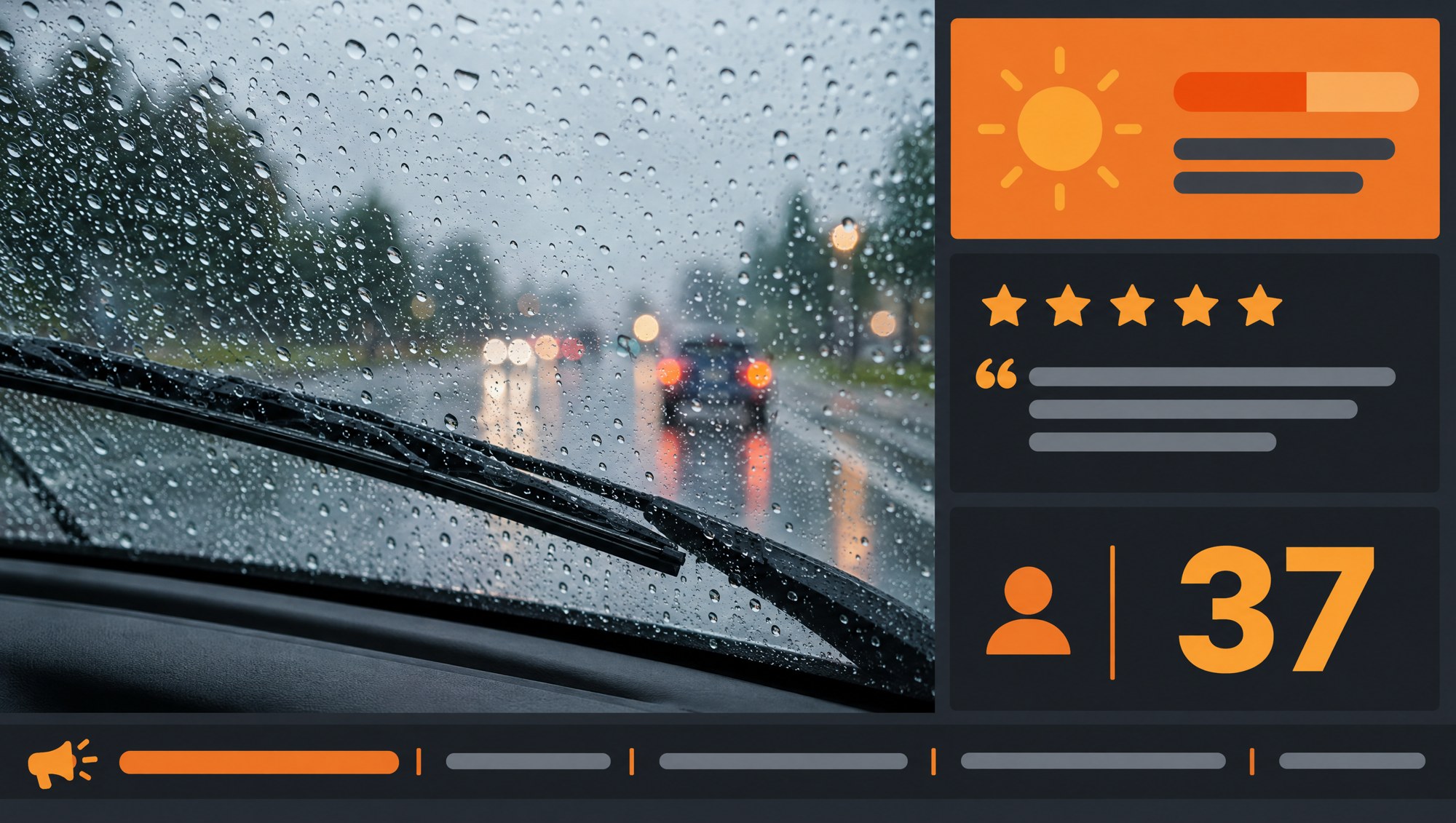
Weather, reviews, news, queue numbers or order status from agreed sources. Updates and presentation depend on the available integrations.

Advice and ordering

Product finders, catalogues, configurators, appointments and forms. Touch devices support direct interaction; QR codes continue the journey on a smartphone.

Leads, games and feedback

Newsletters, surveys, prize draws, browser games and photo experiences. Entry, consent and handover to your CRM or email system are agreed during the project.

Example display layout with a main campaign, weather, review, queue number and news ticker.Enlarge image ↗
Example display layout with a main campaign, weather, review, queue number and news ticker.

From the first location to daily operation

A pilot shows how the device, content and interaction work at the actual location. It provides the basis for rollout across your network.

  1. 01

    Briefing and pilot

    Select locations, audiences, formats and content. Test usability, readability and workflows at selected sites.

  2. 02

    Configuration in Kleve

    Configure devices, install software and content, and test connectivity and functions. Each unit is prepared for its destination.

  3. 03

    Delivery and installation

    Organise delivery, positioning, mounting and staff training. Agree access, power, connectivity and responsibilities in advance.

  4. 04

    Operation and development

    Update campaigns, monitor devices and provide support. Service hours, replacement units and further development are defined in the quotation.

The services behind the screen

Digital signage connects applications with their use on site.

Campaigns and prize draws

Explore Promotion Engine: connect the screen with campaign participation and reward fulfilment.

Content and branding

Creative and content production: create campaign images, videos and templates for your brand.

Locations and deadlines

POS and display logistics: deliver devices and promotional material to the site together.

Questions about digital signage

What does a digital signage project cost?

The quotation separates hardware and options, software and interactive modules, and setup, content and ongoing services. Device formats, quantities, locations and integrations determine the scope. You receive a breakdown for your project.

Does playback work without internet access?

Locally stored images and videos can continue during a connection outage. New content, live data and functions such as bookings or orders need connectivity or an agreed fallback workflow. This behaviour is planned and tested for each application.

Does every display need touch?

No. A non-touch display is sufficient for videos, offers and information. Direct input requires a touch device. Alternatively, a QR code can take visitors to the relevant smartphone application.

Which devices are suitable for outdoor use?

The weather-resistant pavement sign is intended for outdoor use. The window display is designed for placement behind shop-window glass. Device selection and mounting account for brightness, temperature, moisture and the specific location.

Can locations manage their own content?

Yes. Head office defines templates and approved areas. Locations can add opening hours, team notices and local offers. Roles and approvals are configured for your organisation.

Can existing screens be connected?

We check connections, operating system, resolution and application requirements. This determines whether the screens can be used directly or with an additional player.

How is data from forms or cameras handled?

Purpose, consent, access and storage are agreed for each application. Personal data should not enter the player’s general media library. For cameras, NFC and forms, processing and transfer to your systems are agreed before deployment.

Your project

Which locations would you like to reach?

Tell us the types and number of locations, intended content and your timing. We will discuss suitable devices and the scope of software, creative production and operation.

Discuss your digital signage project →Devices, software and services quoted for your project.