
Atlas & Nexus
Manage campaigns. View stock. Track progress.
Use Atlas to plan campaigns, organise products and recipients, and coordinate approvals with PROWERB. View your stock, orders and current progress in one place. Our team manages delivery in Nexus, from the agreed requirements through production and shipping.
Request a personal presentation · Customer portal
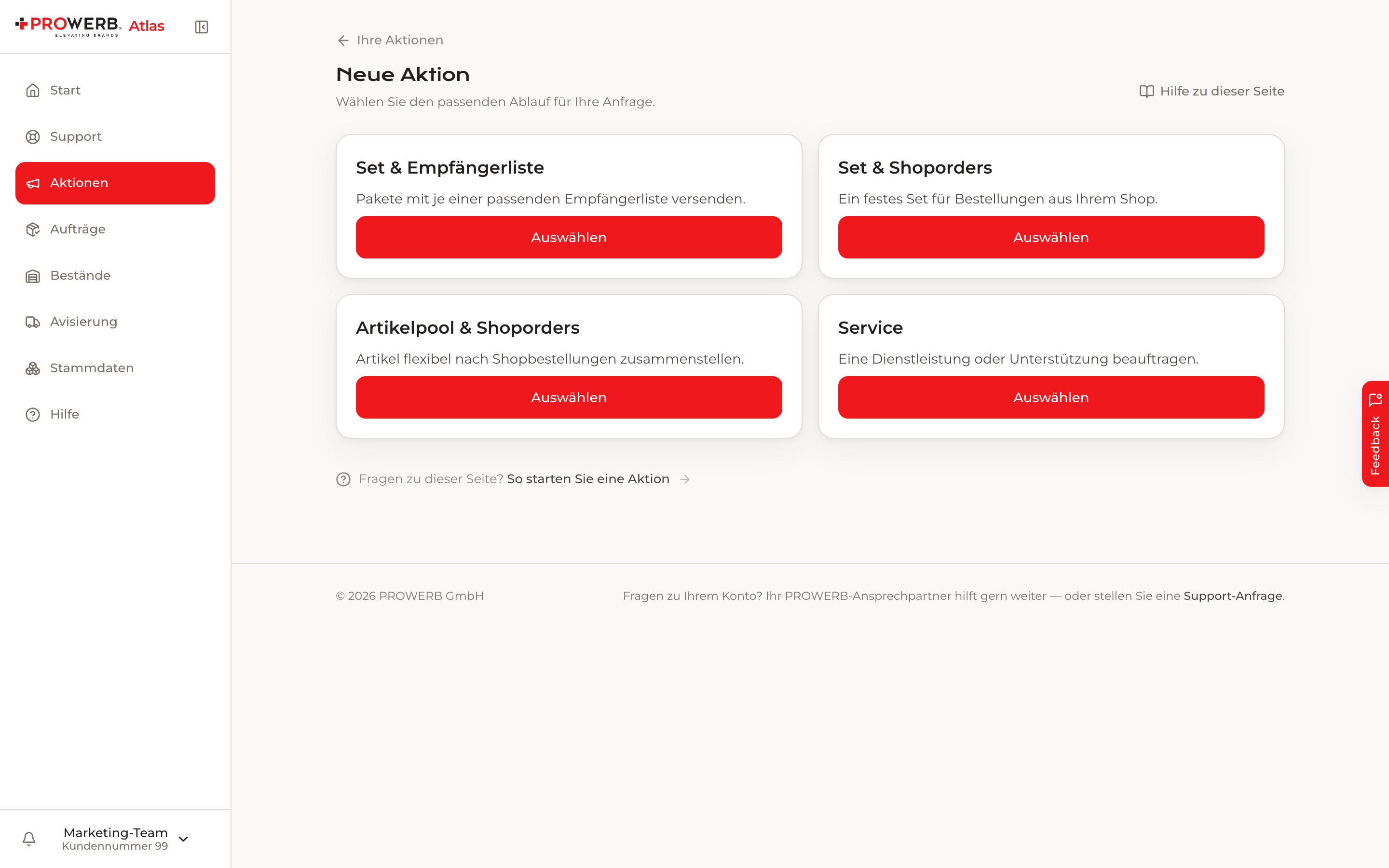
Choose the right workflow for a new campaign in Atlas.
Enlarge view (opens a new tab)Your customer portal
What your team can do.
Your team uses the modules enabled for your organisation. These everyday tasks start directly in Atlas.
Create campaigns
Choose a set for a recipient list, a set or product pool for shop orders, or a service request. Save your draft and hand over the prepared requirements for clarification.
Prepare packages and recipients
Select existing products or request new ones. Add quantities, shipping dates, CSV or Excel recipient lists and supporting files to the campaign.
Check stock
View available, reserved, picked and blocked quantities. Filter products below their reorder threshold and export the current overview.
Announce inbound deliveries
Provide the expected products, quantities and delivery date so PROWERB can prepare goods receipt. An announced delivery remains distinct from stock actually booked in.
Approve and resolve questions
Add missing details, share documents and make the decisions assigned to you. Messages and history stay with the campaign.
Track orders and shipping
Open your shipping orders to view progress, items and available tracking information. The next step stays clear.
Prepare campaigns
Turn your idea into complete requirements.
For the autumn dealer packages, bring products, package contents, recipient source and desired shipping date together. Still clarifying the details? Save a draft and complete it later.
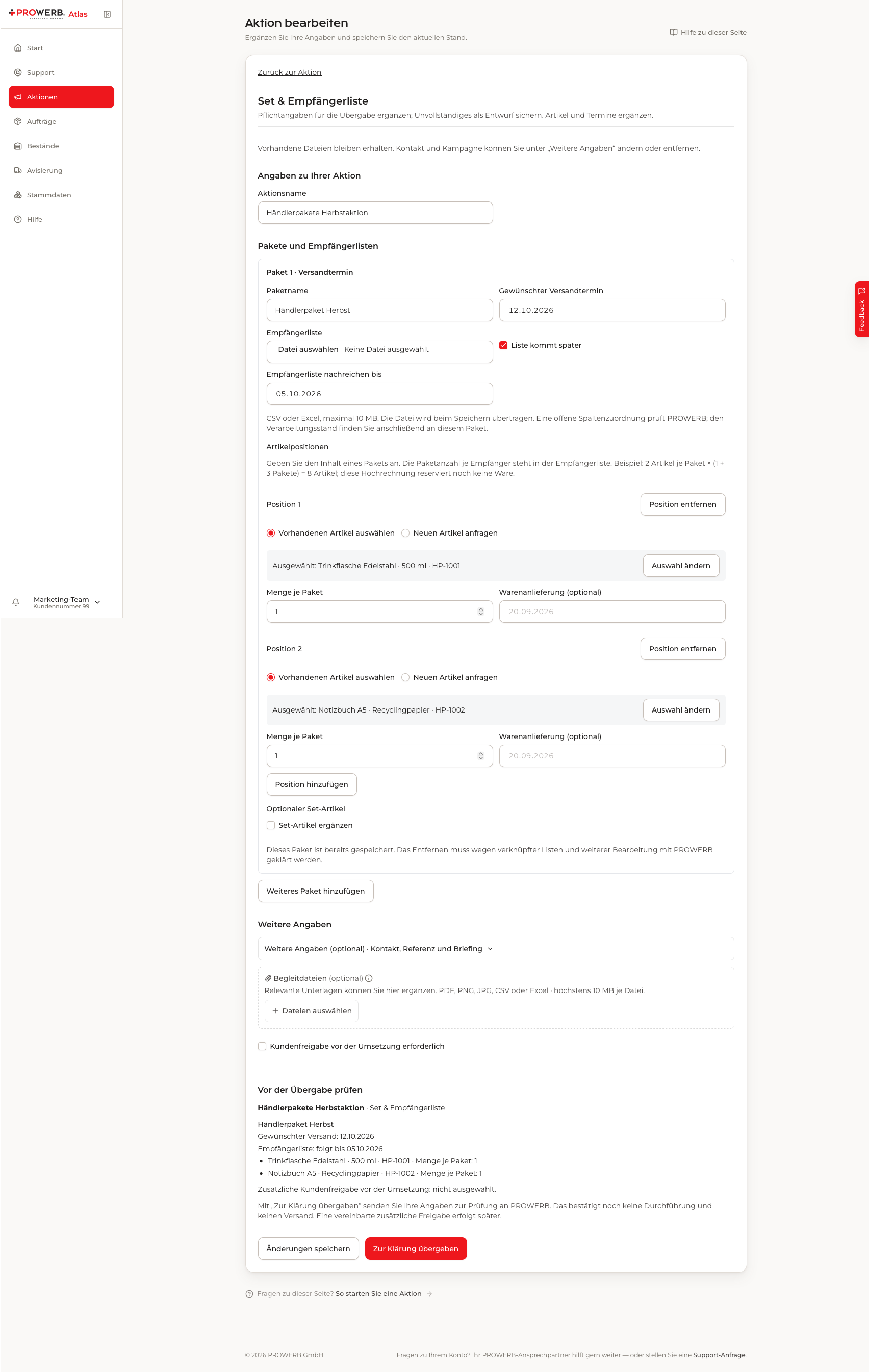
Prepare products, package contents and shipping preferences in Atlas.
Enlarge view (opens a new tab)Working together
One campaign, from planning to delivery.
Atlas and Nexus show the same campaign from two perspectives. You work in Atlas; our team handles the requirements in Nexus. You do not need to connect two applications yourself.
Plan requirements
Prepare products, packages, recipients and shipping preferences in Atlas. PROWERB receives the same requirements for review.
Clarify and approve
Add documents and make the agreed decisions. PROWERB checks materials, dates and the required approvals.
Organise delivery
PROWERB plans production orders and work steps in Nexus. Atlas shows the progress relevant to your team.
Track shipping
View order status and the available shipment information. Updates depend on the data received from the connected systems.
Your view in Atlas
Your requirements and the next step.
The autumn dealer packages stay together as one campaign: with your requirements, customer decisions, documents, messages and history.
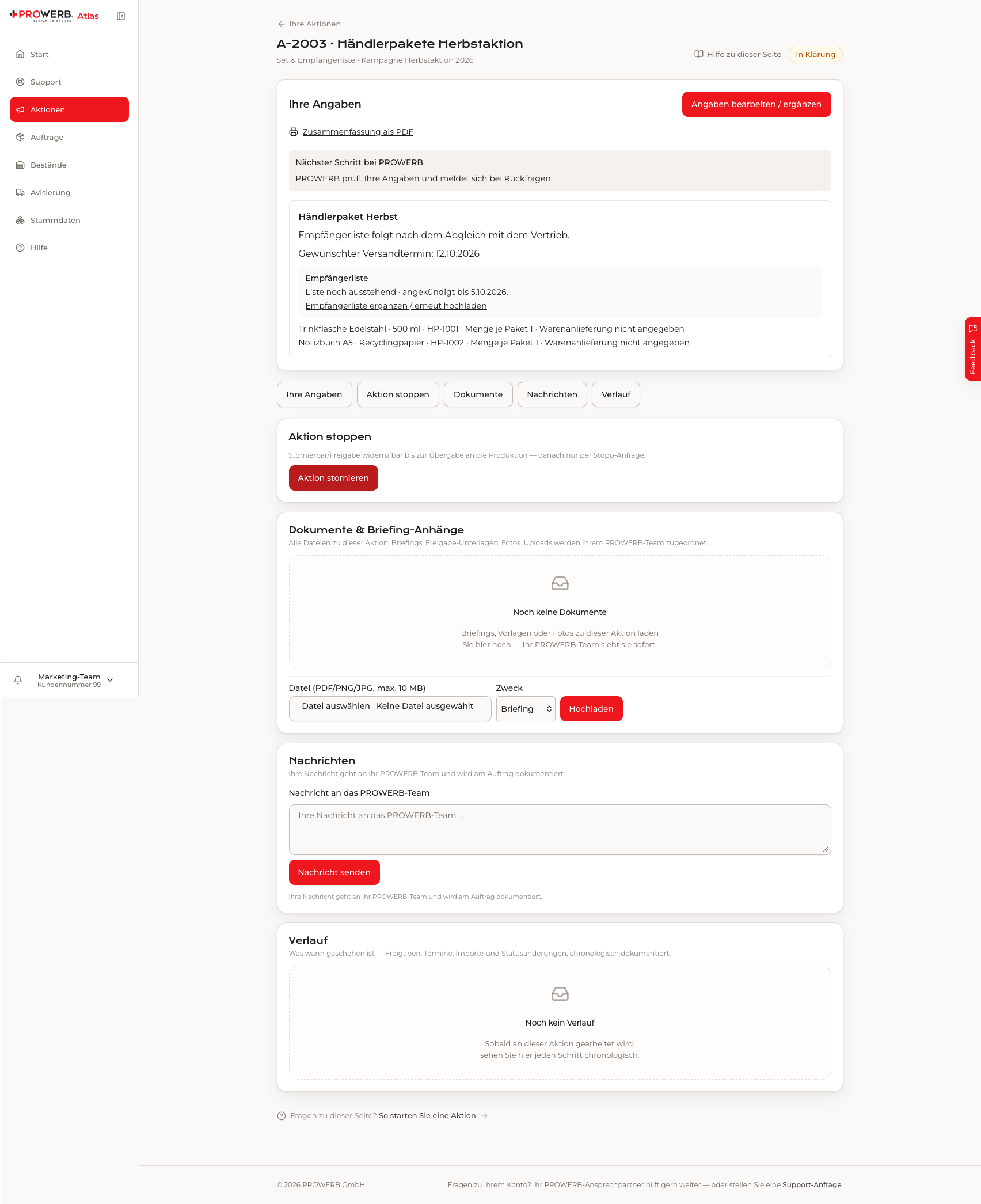
Autumn dealer packages: the customer view in Atlas.
Enlarge view (opens a new tab)PROWERB in Nexus
Your requirements become planned work.
Our team sees the same campaign with everything needed for delivery: clarified requirements, approvals, materials, dates and production orders. PROWERB handles the internal work planning.
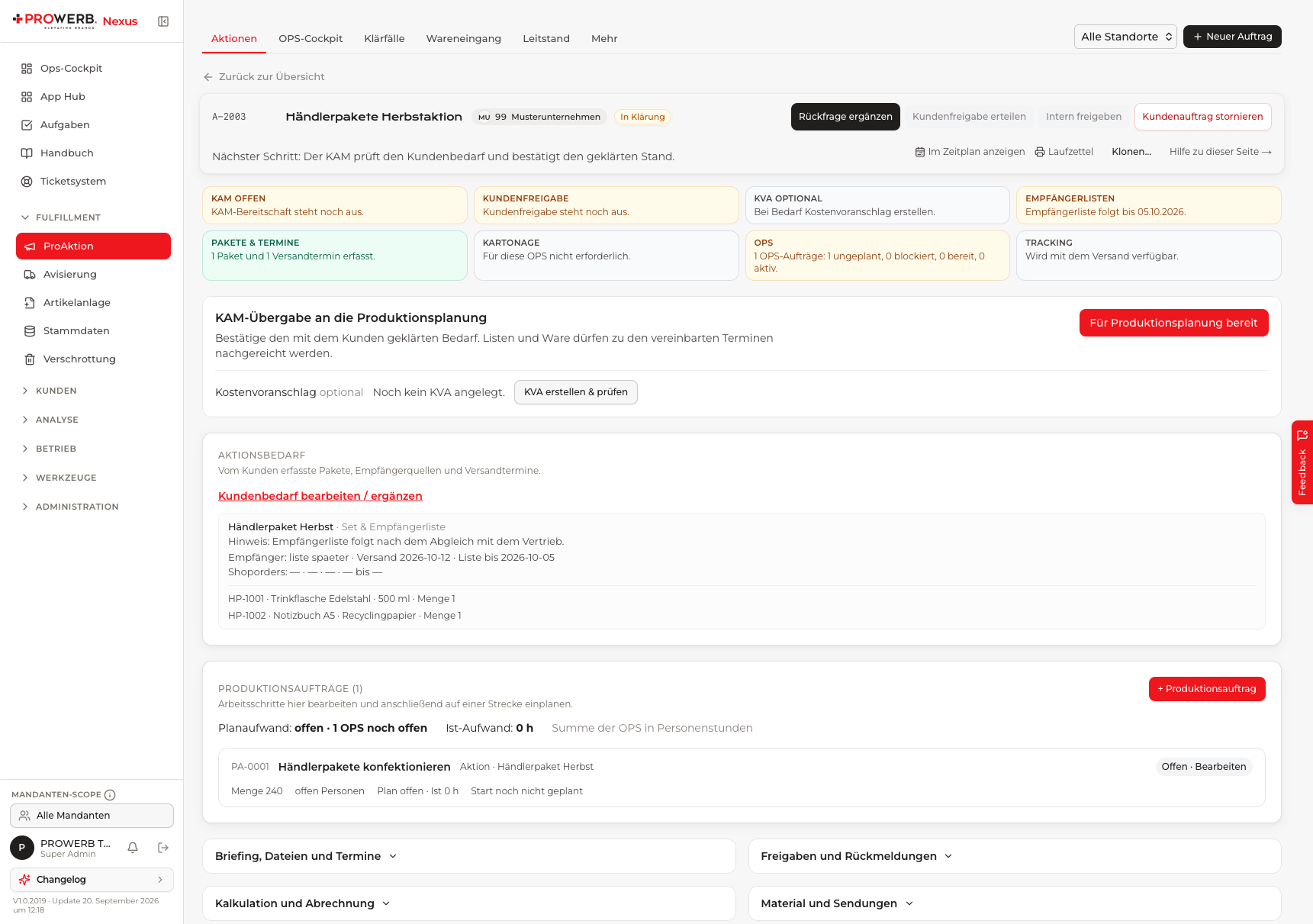
The same campaign: PROWERB organises delivery in Nexus.
Enlarge view (opens a new tab)Data and availability
See what is available and how your orders are progressing.
Atlas shows available, reserved, picked and blocked quantities. Identify replenishment needs and track your orders. The displayed data timestamp shows when the information was last updated.
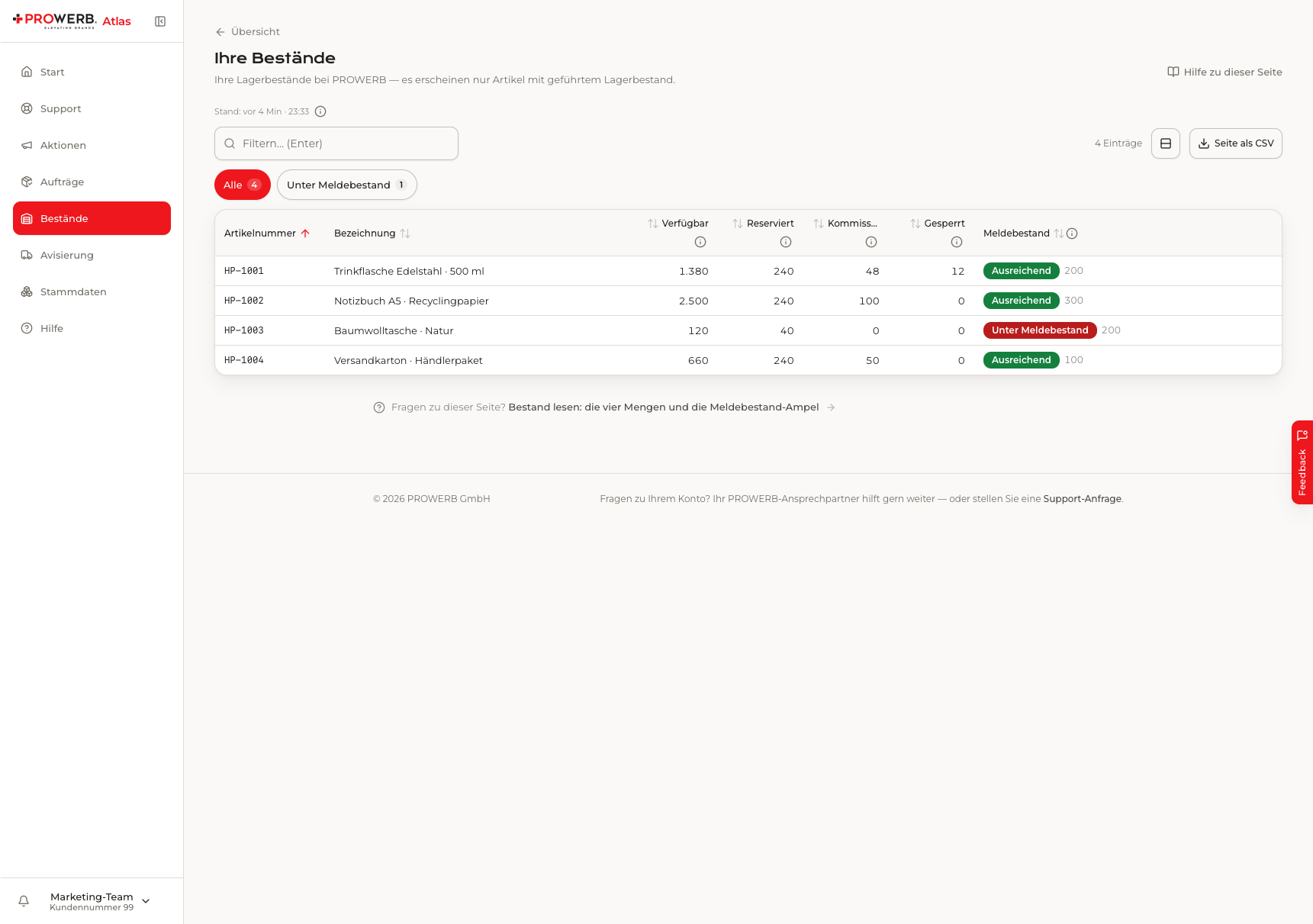
Review availability, reservations and replenishment needs alongside the data timestamp.
Enlarge view (opens a new tab)Stock and replenishment
Review products and quantities in context. The reorder-threshold filter highlights where the next discussion is needed.
Orders and shipments
View progress and open available shipment information. Your contact can help with changes to a shipping order.
Understand data freshness
Atlas is updated from connected systems. Stock, shipping information and reports have different update schedules depending on their source and integration.
Prepare goods receipt
Coordinate inbound deliveries early.
Announce expected goods with products, quantities and dates. This helps prepare goods receipt; stock is booked when the warehouse actually processes the delivery.
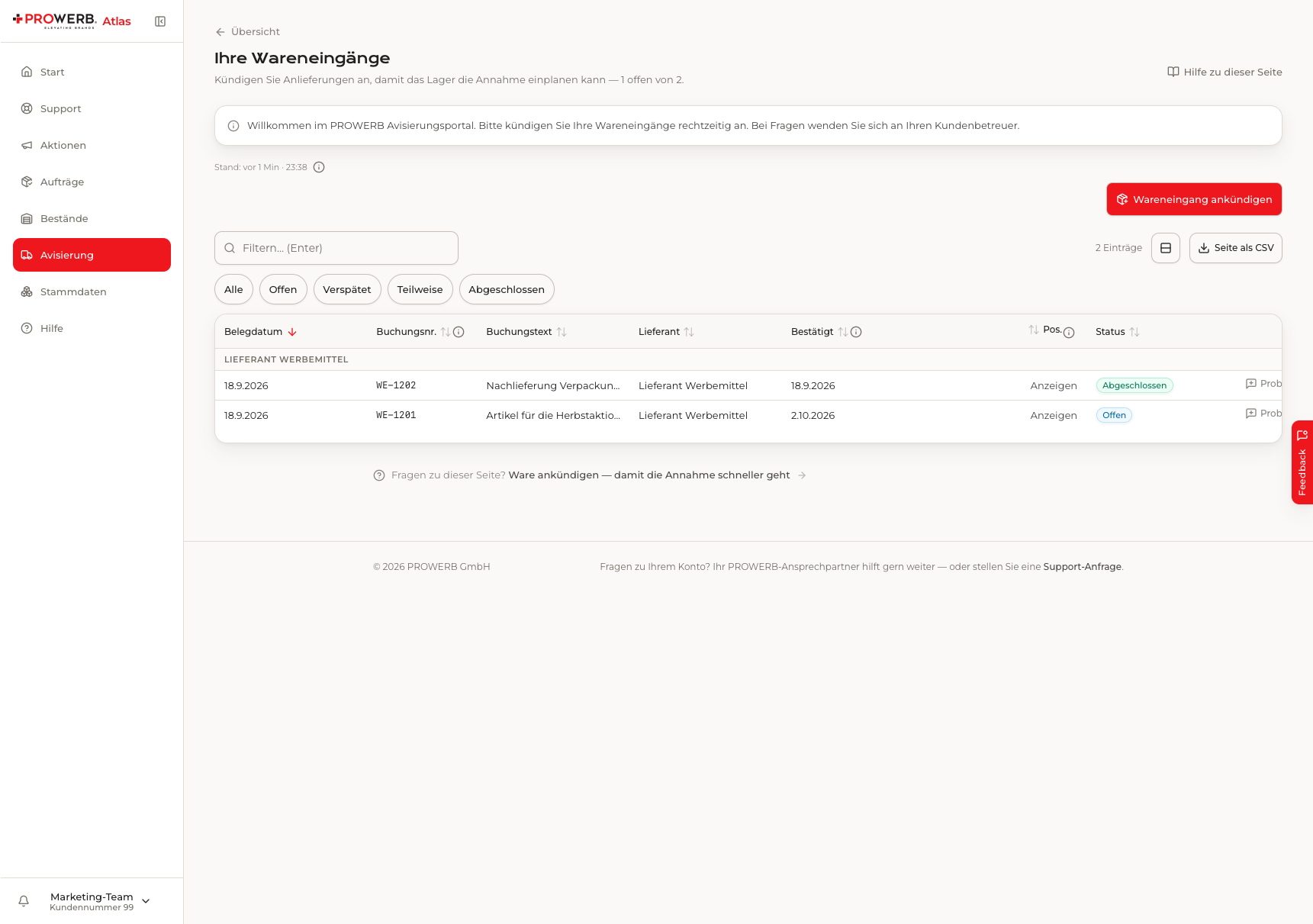
Announce products, quantities and the expected delivery date.
Enlarge view (opens a new tab)Shipping at a glance
Follow orders and shipments.
The order overview shows progress, recipient context and shipping information. Available tracking links open shipment tracking. Contact your account team to change or cancel a shipping order.
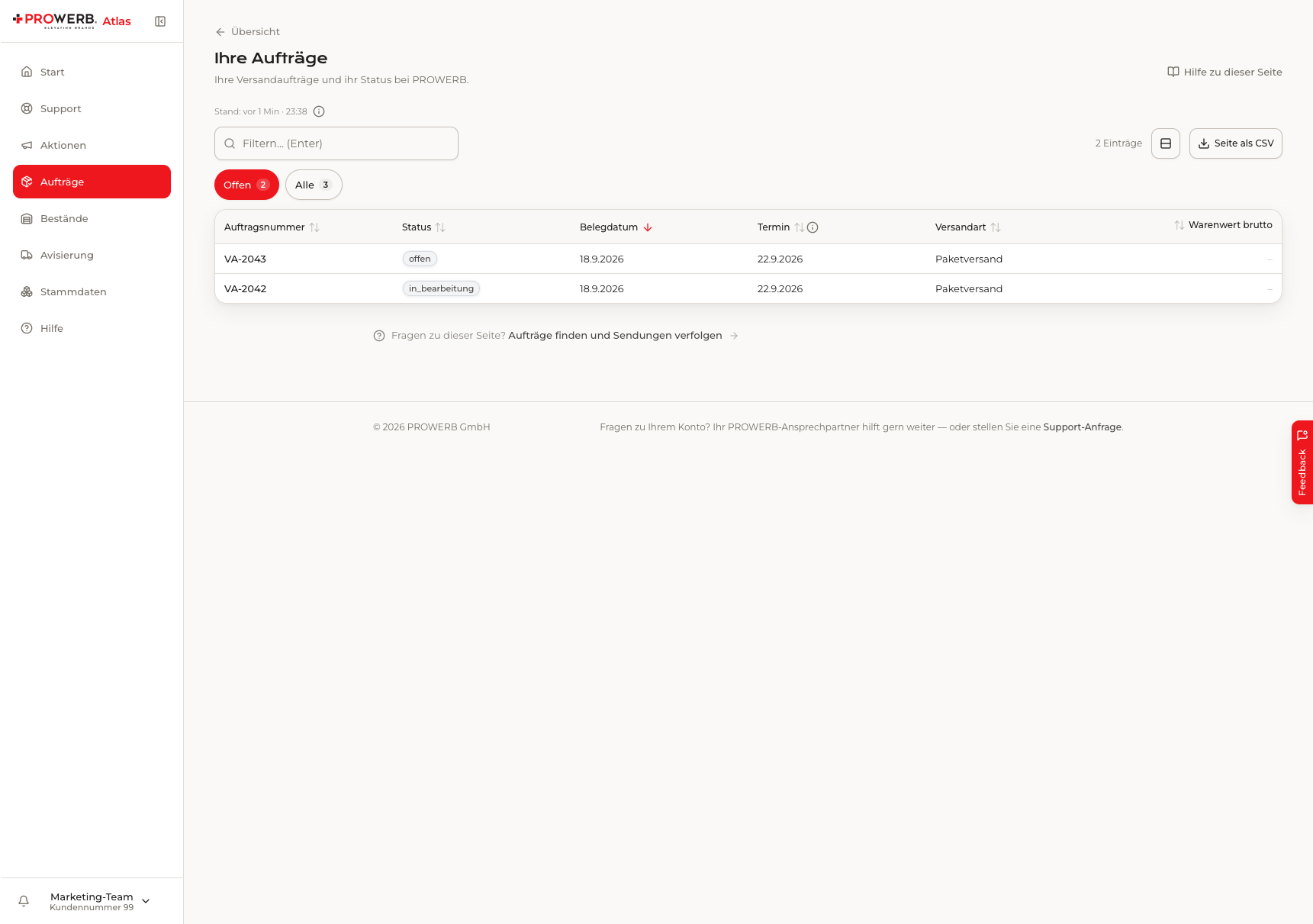
Follow order progress and available shipment information.
Enlarge view (opens a new tab)Self-service
Prepare independently. Decide together.
You prepare, add details and approve. PROWERB checks operational feasibility and organises delivery. Handing over requirements for clarification does not yet confirm a shipping date.
You in Atlas
Prepare requirements and documents; answer questions and provide agreed approvals; review stock and progress.
PROWERB in Nexus
Review requirements and work steps; coordinate materials, capacity and dates; handle delivery, exceptions and handoffs.
Access for your team. Enabled modules and permissions determine who can view information, edit details or approve. Campaigns managed by your source system are maintained there.
Your systems
Keep your existing systems connected.
Connect your shop and business processes. Enabled APIs let your systems retrieve data and submit agreed transactions. Atlas provides the customer context; Nexus connects operational work with the responsible teams.
Shop and ERP
Products, recipient sources and agreed order processes are transferred according to your integration. We agree ownership and the leading system with you.
Exports and reporting
Use the available exports. We can agree additional reports and Power BI analysis to suit your collaboration and the available data.
Your questions
Atlas in everyday work.
What can our team create and change?
Prepare campaigns, add products and recipients, provide documents and give agreed approvals. Your modules, permissions and the current processing stage determine the available actions. Campaigns managed by a connected source system are maintained there.
Which stock and orders can we see?
You see the stock and order data enabled for your organisation. Atlas distinguishes available, reserved, picked and blocked quantities and shows the available shipping information.
How current is the data?
Atlas is updated from the connected systems. Each view shows its latest data timestamp. Stock, shipping information and report updates depend on the source and integration.
Who can edit or approve?
Your team receives the modules and permissions appropriate to your collaboration. Viewing information, editing details and giving approvals can be assigned to different people.
Can we connect our shop or ERP?
Yes. We agree the required data and workflows with you and enable the relevant APIs. Not every campaign needs to be entered manually in Atlas.
Do we need to operate Nexus ourselves?
No. Customers use Atlas and the agreed integrations. Nexus is the PROWERB team’s workspace for operational delivery.
How do we get access or a presentation?
Existing customers use their portal access or contact their account team to arrange access. To get to know Atlas, request a personal presentation based on your own workflow.
Get to know Atlas
See Atlas with your own workflow.
Discuss your campaigns, stock and integrations with us. In a personal presentation, we show which tasks your team can handle and how PROWERB organises delivery.